

🔄 n8n integration
Parsio offers an official n8n integration that helps you automate document parsing and route extracted data to other apps and workflows.
Official n8n <> Parsio page: https://n8n.io/integrations/parsio/
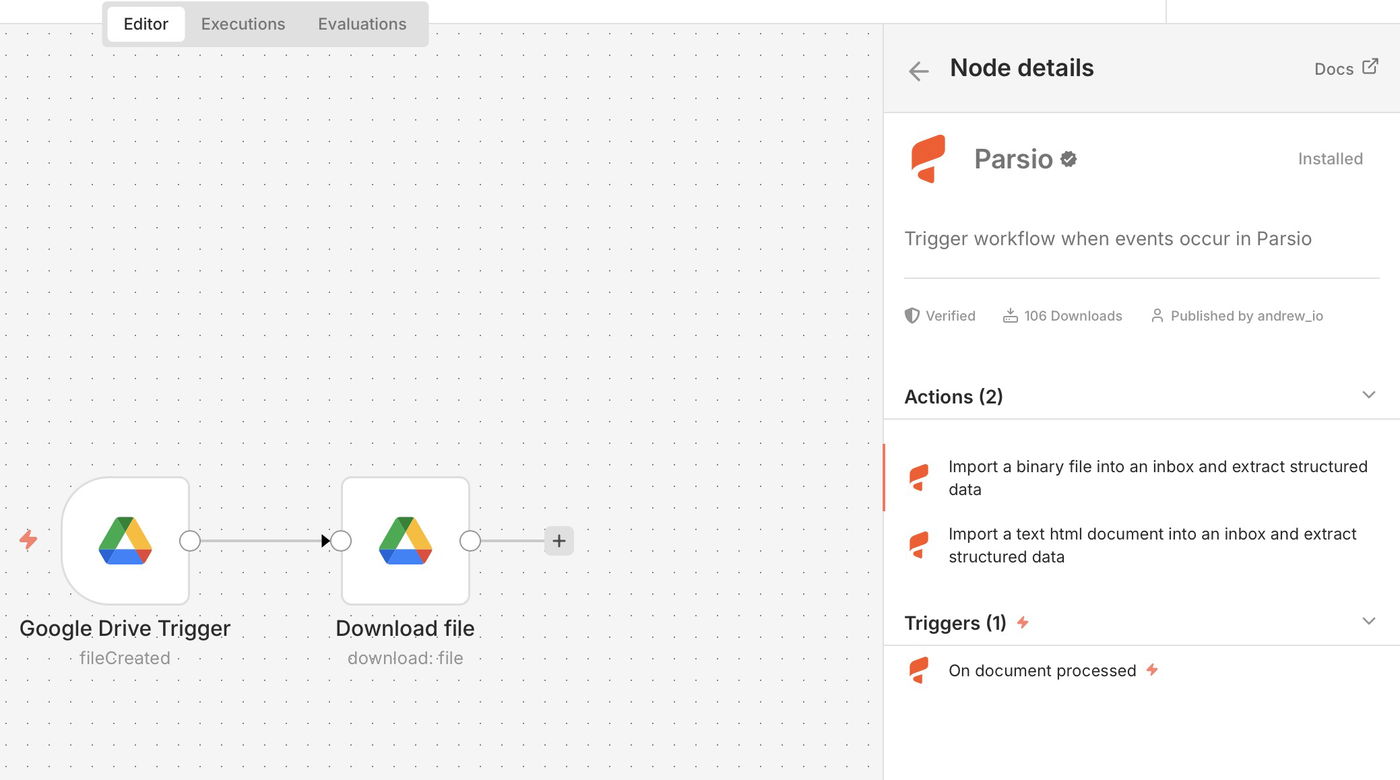
What you can do with the Parsio n8n node
Document operations
The Parsio node currently supports four document import operations:
Import File
Import a binary file into a mailbox and return extracted data immediately.Import Text/HTML
Import a text or HTML document into a mailbox and return extracted data immediately.Import File (Async)
Import a binary file into a mailbox asynchronously and return the document ID.Import Text/HTML (Async)
Import a text or HTML document into a mailbox asynchronously and return the document ID.
The non-async operations are the recommended default when you want to continue working with the parsed result in the same workflow step. Use the async operations when you want to hand off processing and continue the workflow without waiting for parsing to finish.
These operations make it easy to parse documents from almost any data source supported by n8n, including cloud storage, email attachments, APIs, and upstream nodes that generate text or HTML.
Trigger
On document processed
This trigger runs when Parsio finishes processing a document.
It lets you automatically pass the extracted structured data to other n8n nodes and connected tools, such as:
Google Sheets
CRMs
Databases
Webhooks and internal APIs
Authentication
To connect Parsio with n8n, you only need an API key.
Open your Parsio account settings
Copy your API key
Paste it into the Parsio credentials in n8n
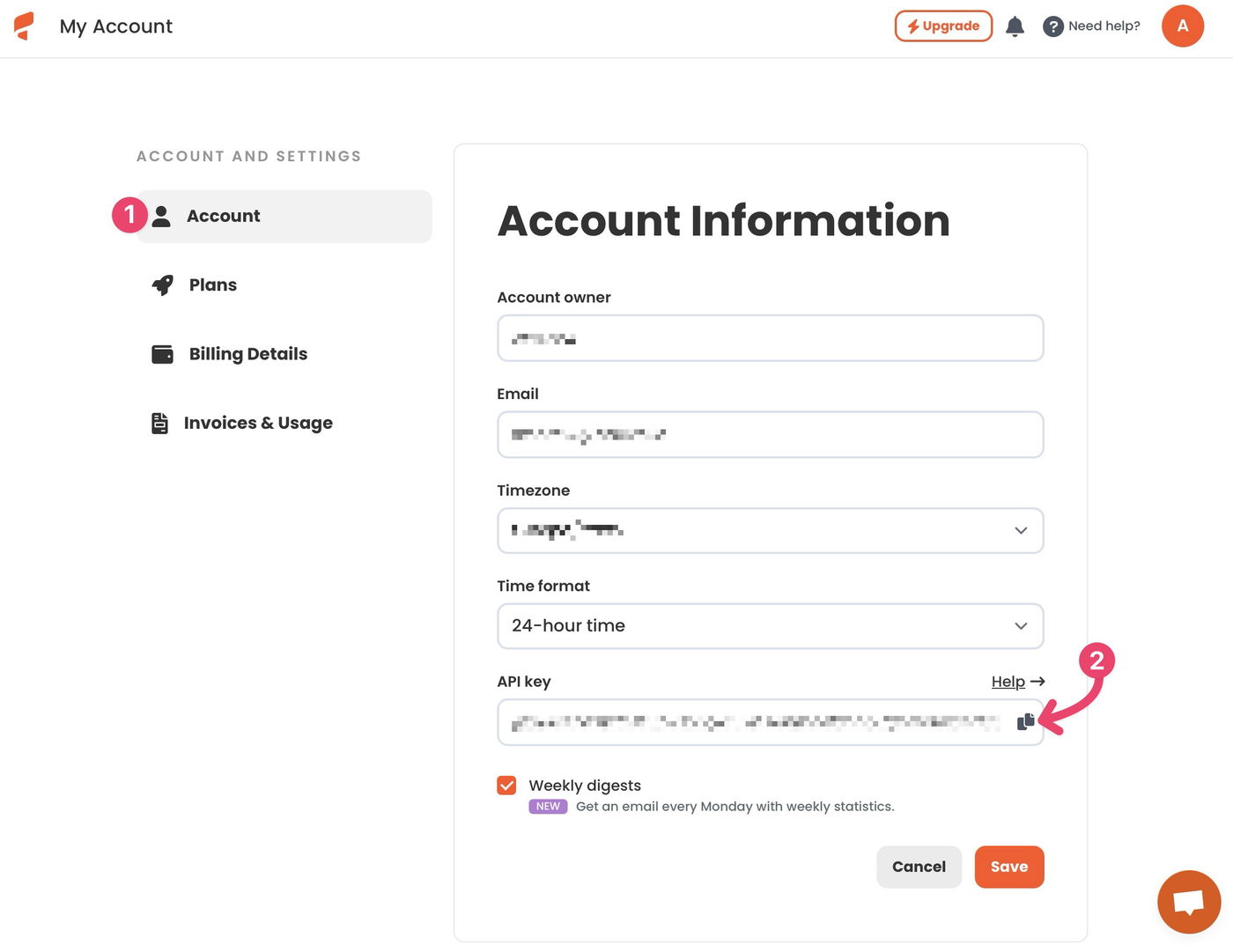
No OAuth configuration is required.
Typical use cases
Parse invoices, receipts, or bank statements and send data to accounting software
Extract structured data from incoming emails and push it to CRMs or spreadsheets
Automate document-driven workflows across cloud storage, databases, and internal systems
You can find detailed, step-by-step workflow examples in the related articles below.