👫 Invite Members to Your Team
Add Team Members
Inviting new members to your team is easy. Simply navigate to Account and Settings > Team Members.
Invited members will receive an email with a link to accept the invitation. This link is valid for 24 hours.
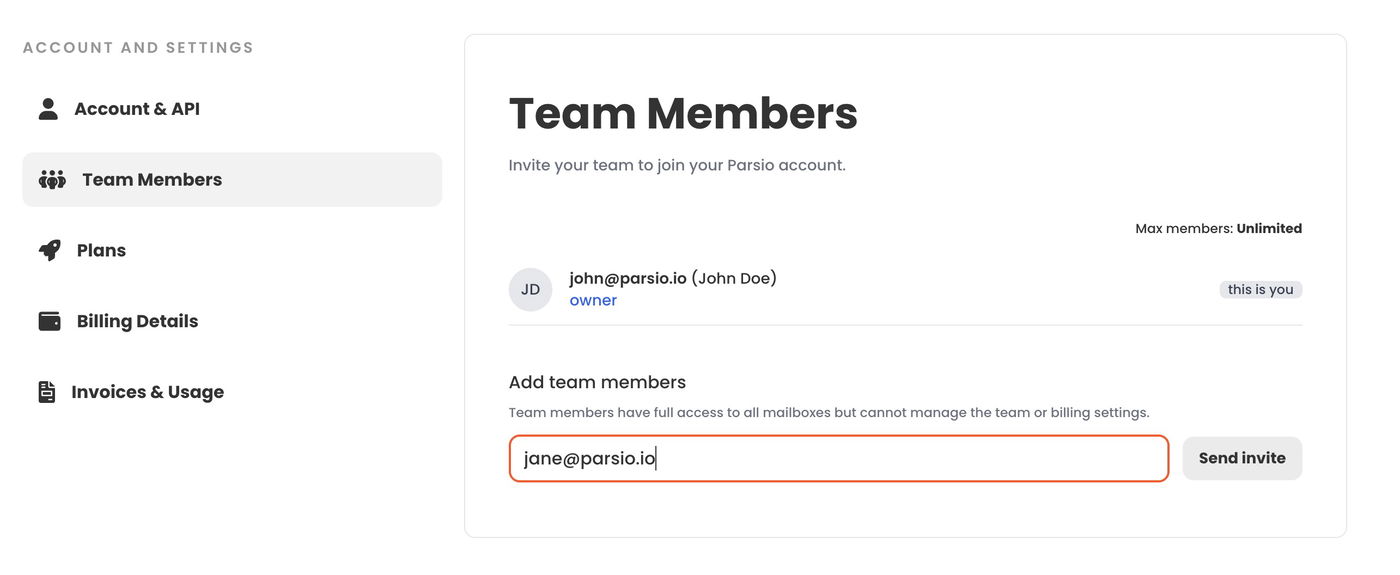
By default, invited members are assigned the role of Manager.
Managers can create and edit inboxes and parse documents. However, unlike account owners, they cannot access or modify billing details, add or remove credit cards, change subscription plans, or invite or remove team members.
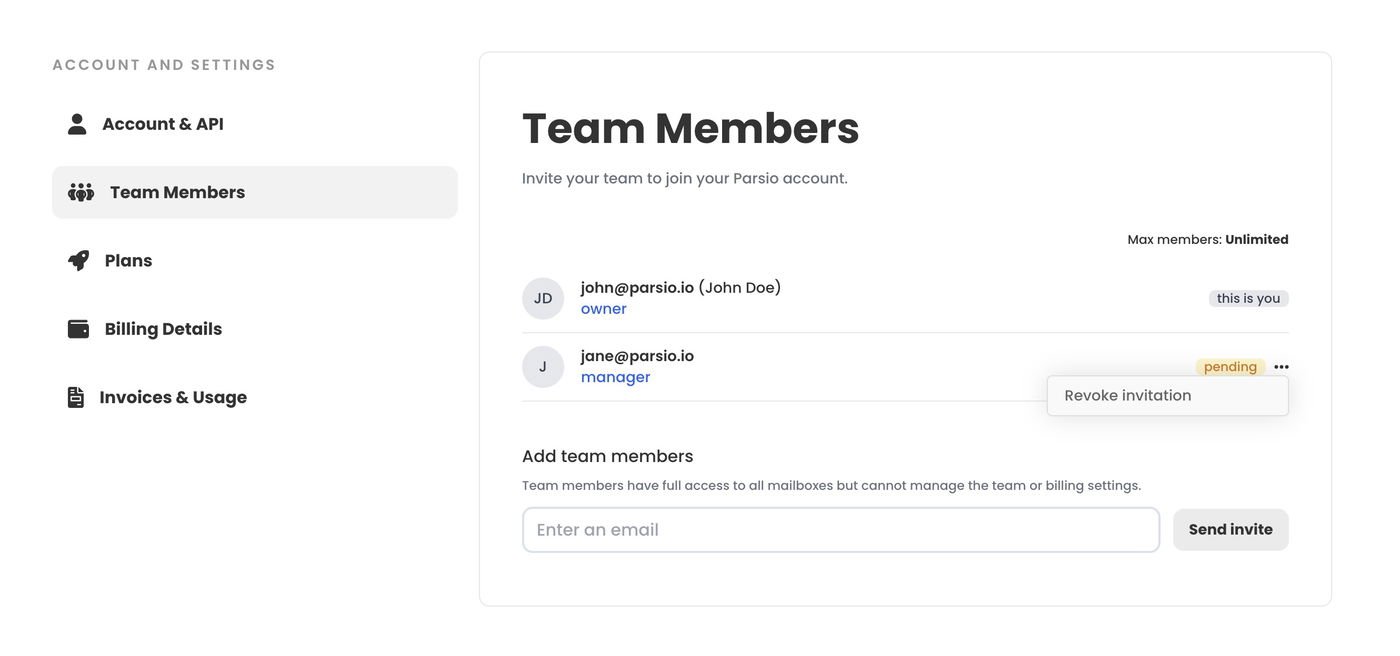
Revoke an Invitation
To revoke a pending invitation, click on the dropdown menu next to the invitation and select "Revoke invitation".
Remove Team Members
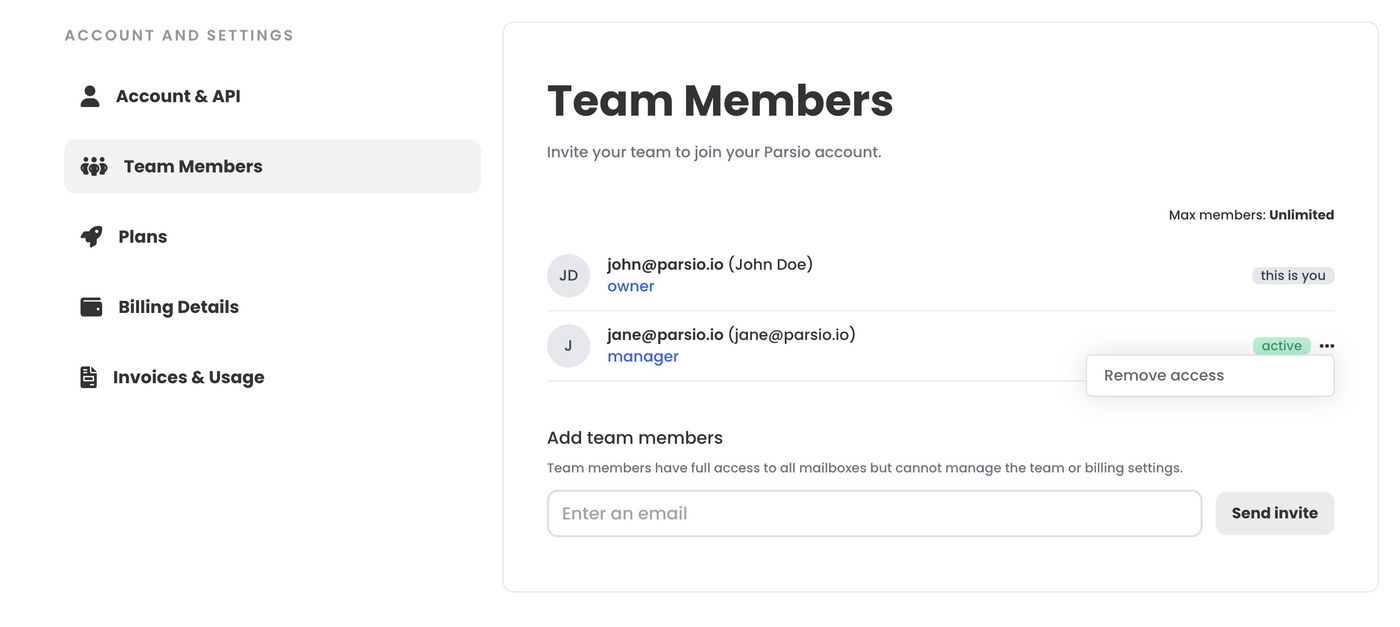
Removing team members is just as straightforward as adding them.
To remove a member, click on the dropdown menu next to their name and select "Remove access".